Welcome people writing their first chat message. Customize the title, message, colors and animations for your stream.
Setup Guide
Requirements
- OBS Studio
- Streamer.bot with the required chat integration
- Streamer.bot WebSocket server
Start WebSocket Server
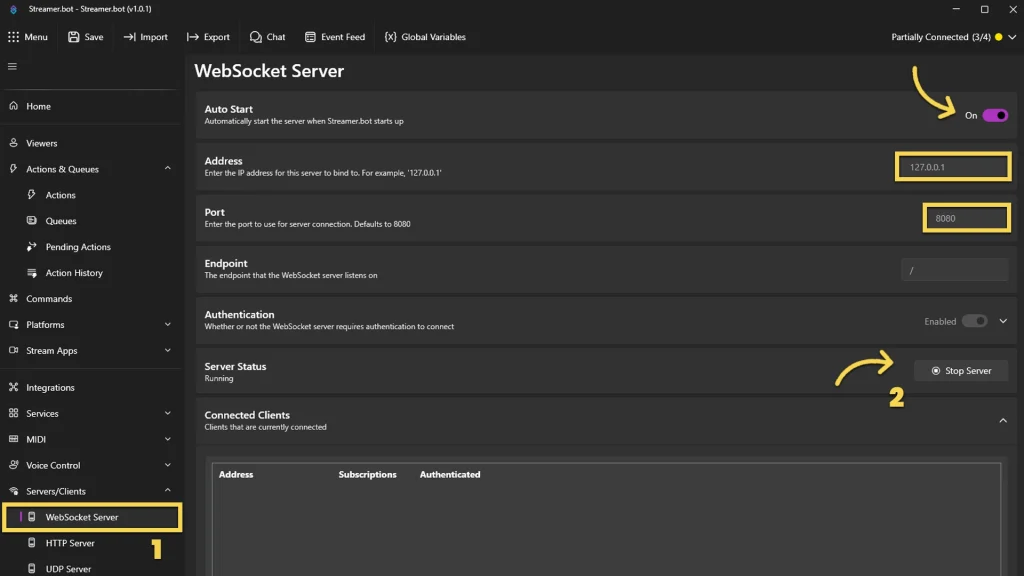
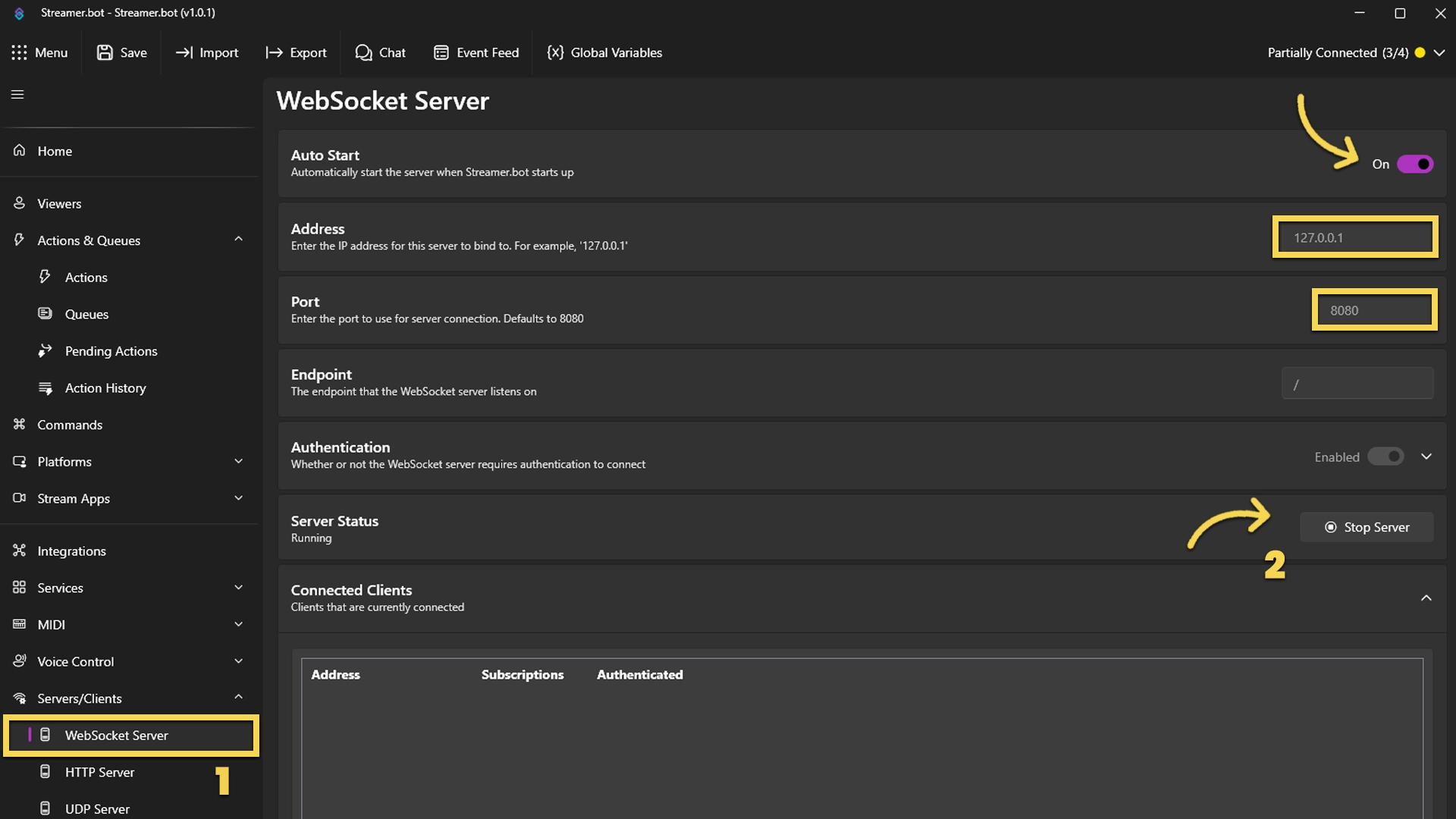
Go to the tab Servers/Clients → WebSocket Server. Enable Auto Start WebSocket Server. Address 127.0.0.1. Port 8080. Optional password. Leave Enforce All Requests unchecked. Start the server.
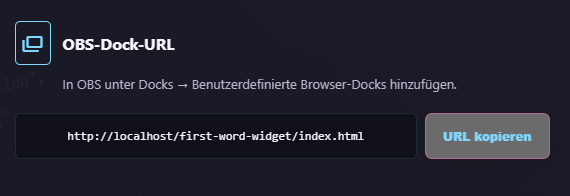
Copy Browser Source URL
Copy the Browser Source URL from Quick Access.
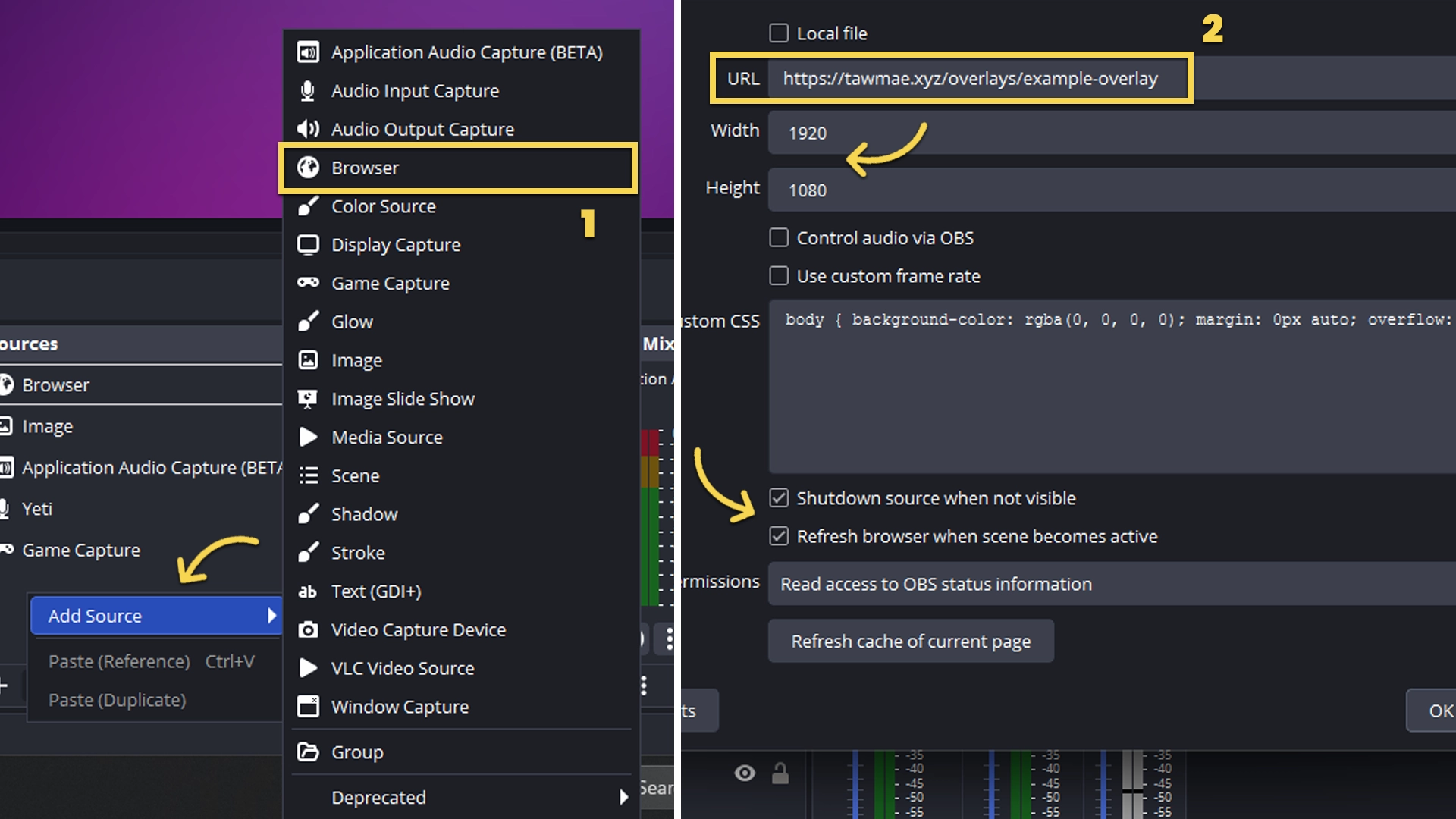
Add Browser Source in OBS
In OBS create a new Browser Source. Paste the URL. Prefer setting Width and Height to your OBS canvas size. Use nested scenes or source clones if you need it in multiple scenes.
If you want to have the browser source in multiple scenes, don't create a second browser source. Instead, use nested scenes or source clones.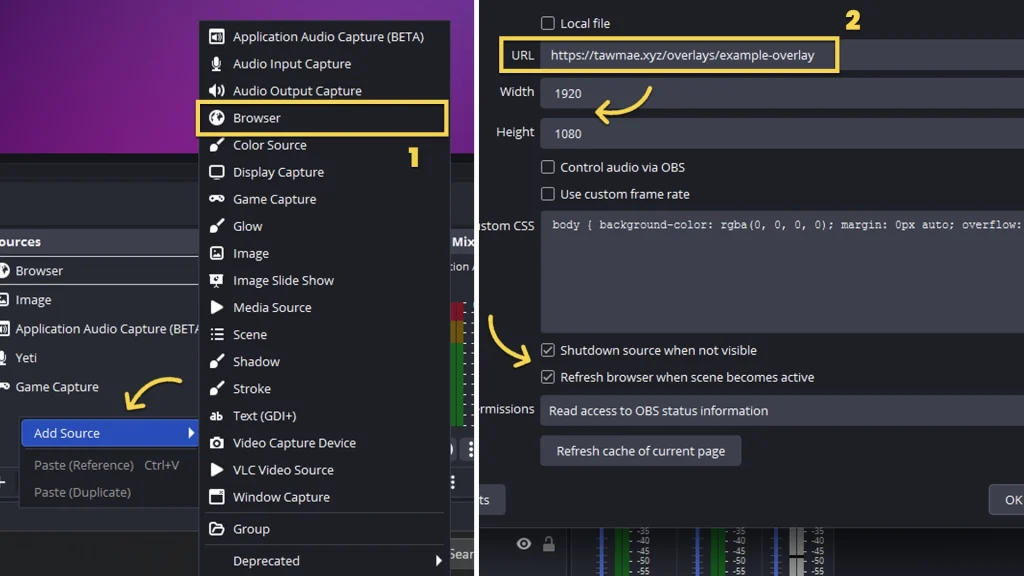
Done!
And you are done!
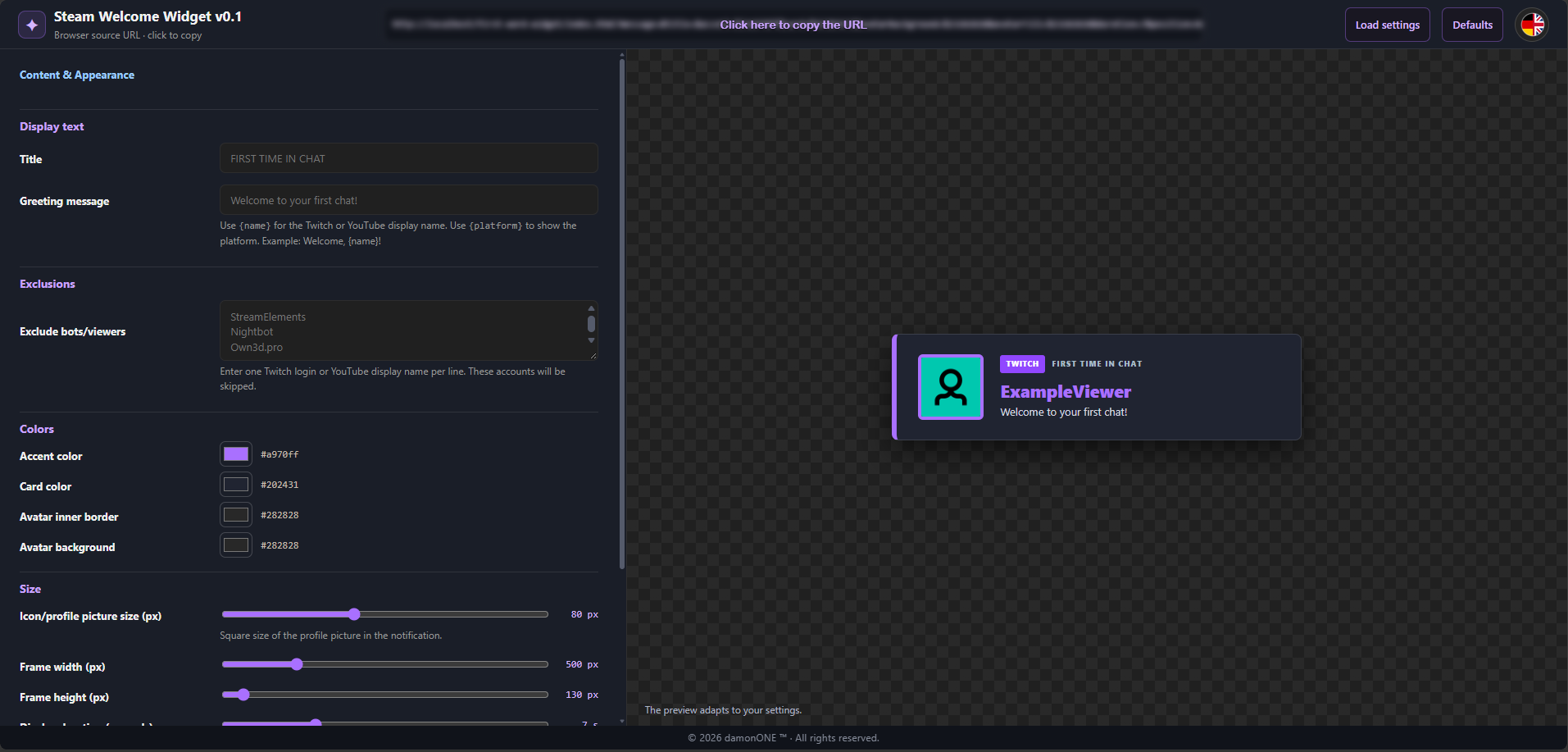
The Settings Panel
Text and Appearance
Open the SettingUI to customize the text, colors, and overall appearance to match your stream. Use the preview to review and verify your changes.
Use in OBS
Copy the generated overlay URL into an OBS browser source. Use the width and height shown in the preview.
Write a review